How to Apply for E Learner Licence on DLIMS Punjab Website
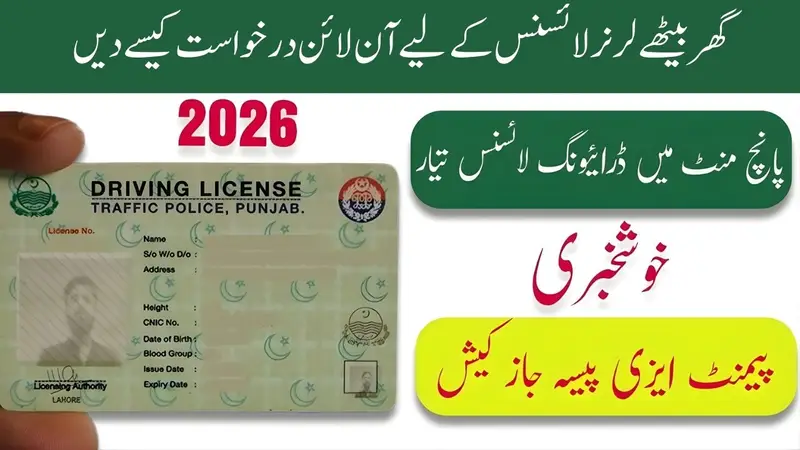
Getting a driving licence is an important step for anyone who wants to drive legally in Punjab, Pakistan. Before applying for the permanent driving licence, every new driver must first get an E-Learner Licence. The Punjab Government has made this process simple and fully online through the DLIMS (Driving Licence Issuance Management System) Punjab website.
This system helps people apply from home without standing in long queues or visiting traffic offices for the learner permit. The online process is easy, fast, and saves time for everyone.
In this article, you will learn the complete step-by-step method to apply for an E-Learner Licence on the DLIMS Punjab website. The language used is simple so that everyone can understand easily.
What is the E-Learner Licence?
An E-Learner Licence is the first step towards getting your driving licence in Punjab. It is a temporary licence that allows you to learn driving on the road. After getting this licence, you can prepare for the driving test and later apply for the permanent driving licence.
The E-Learner Licence is:
- Valid for 42 days.
- Required before the physical driving test.
- Easy to apply online through the DLIMS portal.
Benefits of Online E-Learner Licence
Using the DLIMS online system offers many advantages:
1. No Need to Visit Offices
You can apply from home at any time—day or night.
2. Saves Time and Effort
No waiting in lines. The whole process takes only a few minutes.
3. Safe and Easy
The DLIMS website is official and safe, and all steps are simple with clear instructions.
4. Digital Verification
Your CNIC and documents are checked online, making the process smooth and fast.
Documents Required for E-Learner Licence Online
Before applying, keep the following documents ready:
- Original CNIC (Front and Back pictures)
- Recent passport-size photograph
- Mobile number registered on your CNIC
- Payment receipt/challan (If required by your selected district)
Make sure the photos are clear and readable.
Step-by-Step Guide: How to Apply for E-Learner Licence on DLIMS Punjab
Below is the complete method in very simple English so that anyone can follow without difficulty.
Step 1: Visit the Official DLIMS Website
Open your mobile or computer browser and go to:
This is the official website of the Punjab Driving Licence System.
Once the homepage opens, you will see several options.
Step 2: Click on “Online Learner Licence”
On the homepage menu, you will find the option:
✔ Online Learner Licence
Click on it.
This will take you to the E-Learner Licence application page.
Step 3: Create Your Account
If you are using the system for the first time, you need to create an online account.
Click on:
✔ Sign Up
You will be asked for:
- Full Name (as per CNIC)
- CNIC Number
- Mobile Number
- Email (optional but helpful)
- Password
After entering the information, click:
✔ Register
You will receive a verification code (OTP) on your mobile number. Enter that code to verify your account.
Step 4: Log in to the DLIMS Portal
After successfully creating your account, log in using:
- Your CNIC number
- Your password
Click:
✔ Login
You will now enter your personal dashboard.
Step 5: Start the Application for E-Learner Licence
Inside the dashboard, click on:
✔ Apply for Learner Licence
This will open the online form for the E-Learner Licence.
Step 6: Select the Licence Category
You must select the type of vehicle for which you want a learner licence. Options include:
- Motorbike
- Motorcar
- LTV (Light Transport Vehicle)
- HTV (Heavy Transport Vehicle)
- Tractor
- Others
You can select one or more categories depending on your need.
Step 7: Fill in Your Personal Details
The form will ask for basic information like:
- Full Name
- CNIC
- Date of Birth
- Gender
- Address
- District
- Tehsil
Make sure the information matches your CNIC.
Step 8: Upload Required Documents
You will now upload:
- CNIC Front Picture
- CNIC Back Picture
- Passport-size Photograph
All images should be clear.
Blurry photos may cause rejection.
Step 9: Pay the Licence Fee
The system will show the fee amount for your district.
Usually, the learner licence fee is very low and easy to pay.
Payment options include:
- Easypaisa
- JazzCash
- Online Banking
- ATM
- Bank Deposit
After generating the challan or payment slip, pay the fee using your preferred method.
Once payment is successful, upload the receipt if asked.
Step 10: Submit Your Application
After payment and document upload, click:
✔ Submit Application
Your application will be processed instantly.
You will receive:
- Confirmation message
- Application number
- Download link for your E-Learner Licence
Step 11: Download and Print Your E-Learner Licence
After approval, you can download the licence:
✔ Download Learner Licence (PDF)
Take a printout and keep it with you while driving.
It is valid for 42 days, during which you must prepare for the driving test.
Important Notes
1. Age Requirements
- Motorbike: Minimum 18 years
- Motorcar: Minimum 18 years
- LTV/HTV: Minimum 21 years
2. Correct Information
Your details must match your CNIC. Any mismatch may cause rejection.
3. Clear Photos
Poor-quality images of CNIC or photo are the most common reason for delays.
4. Only One Licence at a Time
You can apply for a new learner licence only if no learner licence is already active on your CNIC.
How to Check Your E-Learner Licence Status
You can check the status at any time:
- Go to DLIMS Punjab website
- Log in with CNIC and password
- Open Learner Licence Status
You will see:
- Approved
- Pending
- Rejected (with reasons)
What to Do After Getting the E-Learner Licence
Once you have your E-Learner Licence:
1. Start Practicing Driving
Learn driving with a trained instructor or an experienced driver.
2. Understand Basic Traffic Rules
Study road signs, signals, and driving rules before taking the test.
3. Prepare for the Computer Test
The test includes:
- Road signs
- Safety rules
- Traffic laws
4. Apply for Permanent Licence
After 42 days, you can apply for your permanent driving licence through the same DLIMS online system.
Common Problems and Their Solutions
Problem: Cannot receive OTP code
- Make sure your mobile SIM is registered on your CNIC
- Keep your phone network active
- Try again after a few minutes
Problem: CNIC picture not uploading
- Compress the file
- Change file format (JPEG or PNG recommended)
- Reduce size below 2 MB
Problem: Payment not showing
- Wait 30 minutes
- Refresh your dashboard
- Contact your payment service provider if needed
Frequently Asked Questions (FAQs)
Q1. Can I apply without a CNIC card?
No. You must have a valid CNIC to apply.
Q2. Can I apply through mobile?
Yes, the DLIMS website works on both mobile and computer.
Q3. What is the fee?
The learner licence fee is small and varies slightly by district (usually around Rs. 60–100).
Q4. How long does approval take?
Most learner licences are approved instantly after payment.
Q5. Can I apply for more than one vehicle category?
Yes, you can select multiple categories at the same time.
Conclusion
Applying for an E-Learner Licence on the DLIMS Punjab website is a simple, fast, and user-friendly process. The government has made it easy for people to complete the entire application from their mobile phones without visiting any office.
By following the steps shared in this article—creating an account, filling the form, uploading documents, making payment, and downloading the licence—you can get your learner permit in just a few minutes.
Start the process today and move one step closer to getting your permanent driving licence.